If you actively trade or monitor markets in TradingView, you probably create a lot of alerts.
Price levels, indicator conditions, strategy alerts, webhook alerts… it adds up quickly.
But did you know that TradingView Alert Presets allow you to reuse alert settings and create new alerts in seconds?
In this article, you’ll learn:
- What Alert Presets are
- How do they help you save time and avoid repetitive setup
- When they are especially useful for professional and automated workflows
What Are Alert Presets in TradingView?
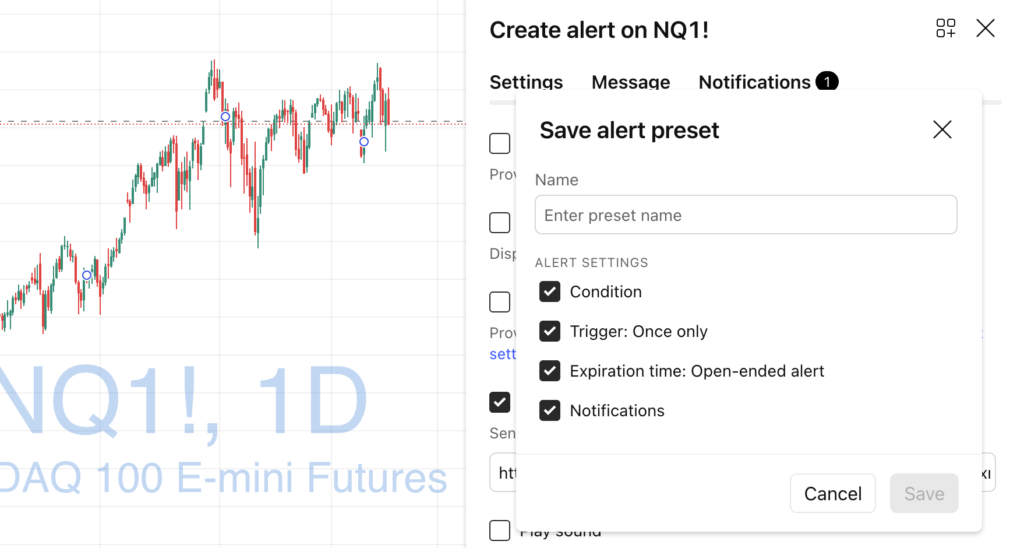
Alert Presets are saved alert configurations that you can reuse when creating a new alert.
Instead of configuring the same options again and again — such as:
- Alert expiration
- Notification methods
- Webhook URL
- Alert name format
—You can save all of this once and reuse it instantly.
Think of Alert Presets as templates for alerts.
Why Alert Presets Save You So Much Time
Creating alerts manually often means repeating the same steps:
- Open alert dialog
- Choose notification channels
- Set expiration
- Add webhook URL
- Write an alert message
- Click save
Doing this dozens (or hundreds) of times is:
- Slow
- Error-prone
- Mentally exhausting
Alert Presets eliminate that friction.
With presets, creating a new alert becomes:
Condition → Choose Preset → Save
That’s it.
Typical Use Cases for Alert Presets
Alert Presets are especially powerful if you fall into one of these categories.
1. Traders Using Webhooks (Automation)
If you send TradingView alerts to:
- Telegram bots
- Discord
- Custom Python servers
- Brokers or execution engines
…you usually reuse the same webhook URL and message format.
A preset guarantees:
- No copy-paste mistakes
- Consistent payload structure
- Faster alert creation
2. Strategy & Indicator Developers
If you build:
- Pine Script strategies
- Custom indicators
- Screeners with alerts
Presets let you:
- Standardize alert messages
- Enforce naming conventions
- Reuse expiration rules
This is especially useful when testing multiple versions of the same script.
3. Active Traders Managing Many Markets
If you monitor:
- Multiple symbols
- Multiple timeframes
- Multiple conditions
Presets help you scale without turning alert creation into a chore.
How to Create an Alert Preset
Creating a preset is simple and only needs to be done once.
- Open any alert creation dialog
- Configure the alert exactly how you like it:
- Notifications
- Webhook
- Expiration
- Message
- Click Save Alert Preset
- Give it a clear name (e.g., “Telegram – Strategy Alerts”)
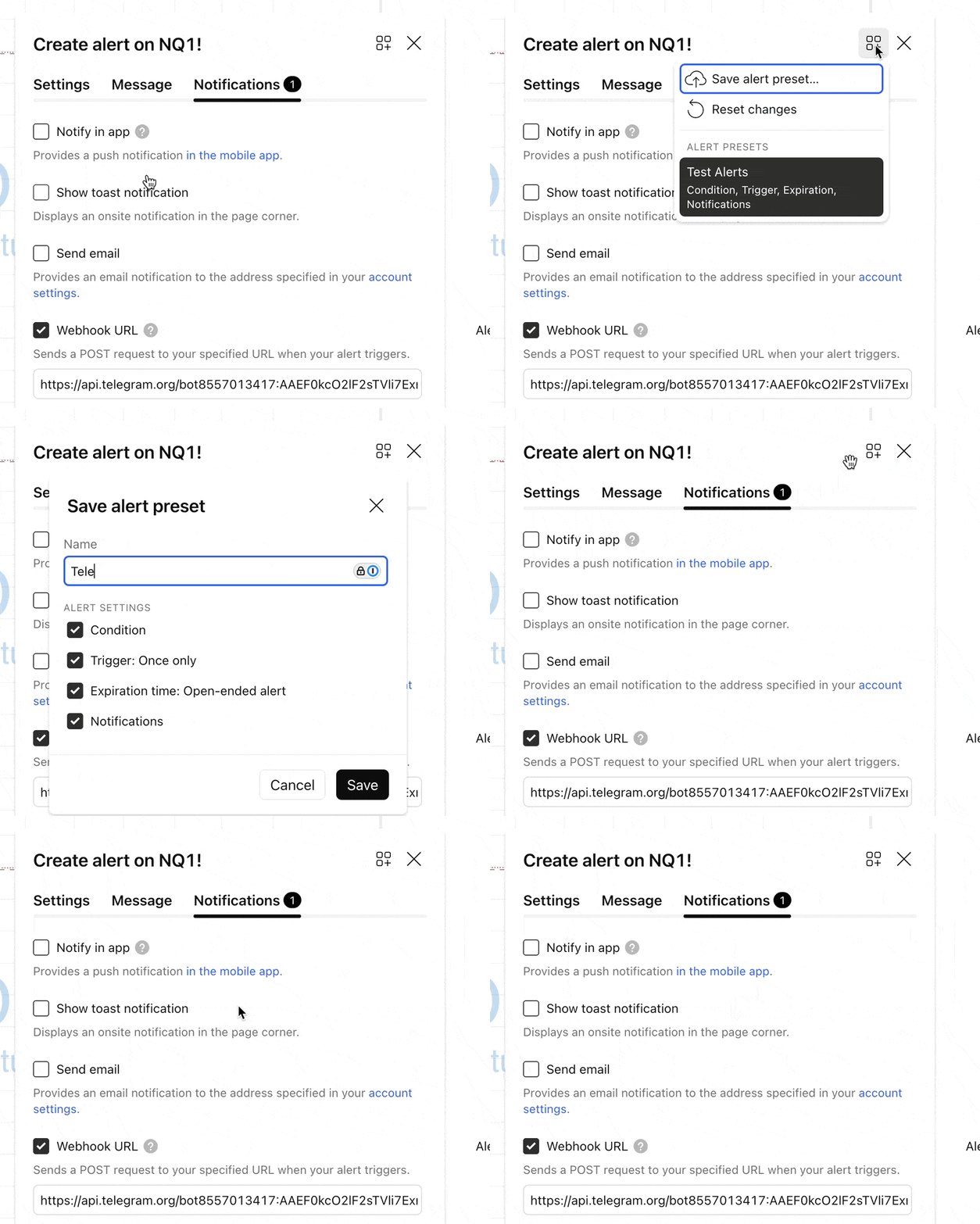
Your preset is now available for all future alerts.
Final Thoughts: Small Feature, Big Productivity Boost
Alert Presets are one of those TradingView features that:
- Don’t look impressive at first
- But save hours over time
If you create alerts regularly, using presets is a no-brainer:
- Faster workflow
- Fewer mistakes
- Cleaner automation setups
Once you start using them, you won’t go back.
Follow me on TradingView and YouTube.