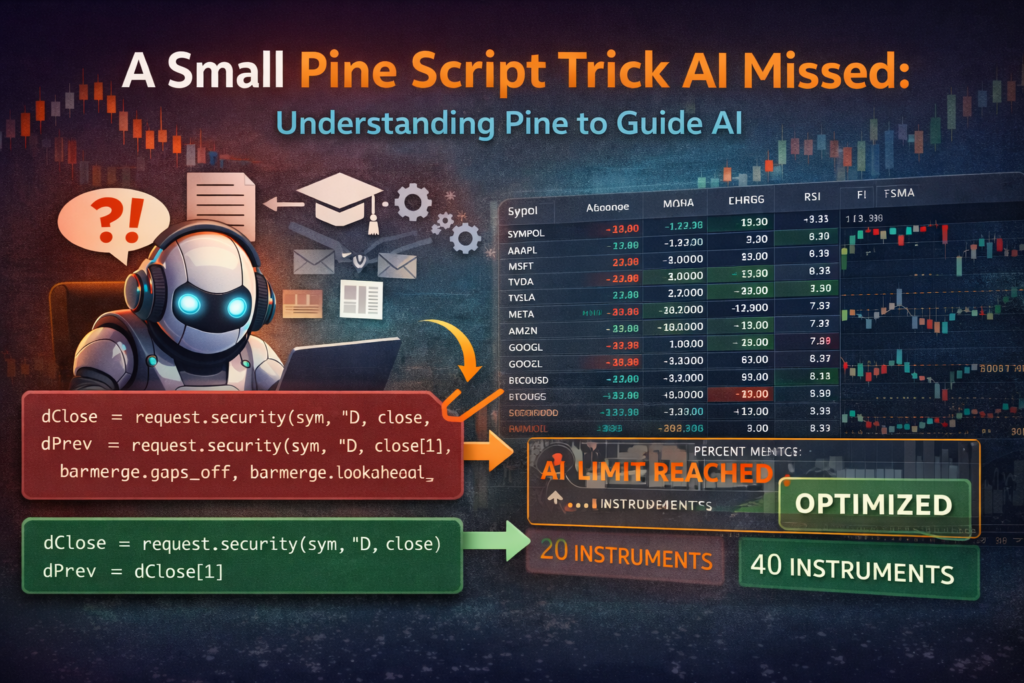
Recently I built a small dashboard for my TradingView charts.
Markets have been moving fast lately, and I found myself constantly switching between different screeners and watchlists just to monitor the instruments I care about.
So instead of jumping between tabs, I decided to build something simple:
A Pine Script table that displays multiple instruments directly on the chart.
One dashboard. Always visible.
Exactly what I need when markets get chaotic.
The Goal: Monitor Multiple Instruments on One Chart
The idea was straightforward:
Create a table that shows multiple instruments with a few key metrics so I can quickly scan the market without leaving the chart.
Something like:
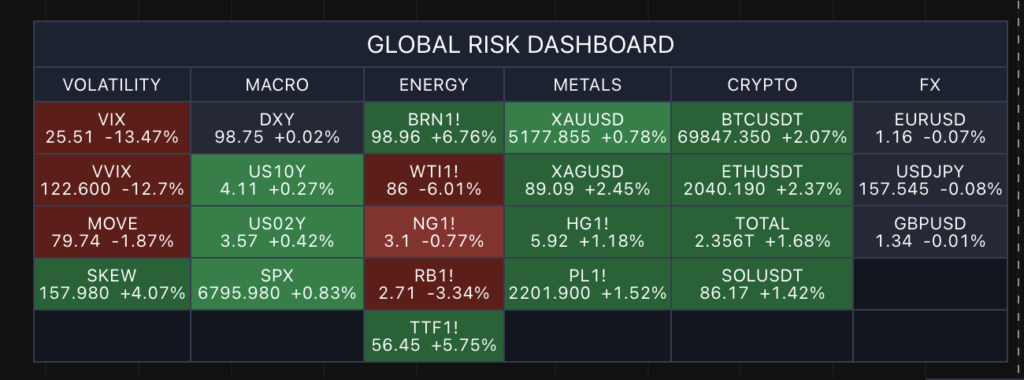
With Pine Script tables, this is actually very easy to implement.
The challenge appears when you start requesting data from multiple symbols.
To retrieve data for other instruments, Pine Script uses the function:
request.security()
Every time you call it, Pine retrieves external data for that symbol and timeframe.
However, there are limits to how many calls you can make inside a script.
Which means efficiency matters.
Letting AI Generate the Initial Script
To speed up development, I asked AI to generate the first version of the dashboard.
It actually did a decent job.
As usual, there were a few small issues:
- wrong parameter usage
- incorrect symbol inputs
- small Pine Script syntax errors
Nothing unusual.
After reporting a few compiler errors and adjusting some inputs, the script started working.
But there was one problem.
The dashboard could only display 20 instruments.
The “Impossible” Limitation
Naturally, I asked the model to increase the number of symbols.
It responded with something interesting.
It said increasing the number of instruments was impossible due to Pine Script limits.
This immediately raised a red flag.
I knew the limitation was related to request.security() calls, so I opened the generated code to check how it was requesting data.
And that’s when I found this.
dClose = request.security(sym, "D", close, barmerge.gaps_off, barmerge.lookahead_off)
dPrev  = request.security(sym, "D", close[1], barmerge.gaps_off, barmerge.lookahead_off)
Two separate request.security() calls.
Just to get:
• today’s close
• yesterday’s close
This doubles the number of external data requests.
Which quickly hits Pine Script limits when you’re looping through multiple instruments.
The Simple Optimization
The interesting part is that Pine Script already provides historical values inside the same request.
So instead of making two calls, we only need one.
[dClose, dPrev] = request.security(sym, "D", [close, close[1]])
Now we:
1️⃣ Request the close price once
2️⃣ Access the previous value locally
This cuts the number of request.security() calls in half.
The Result
After this small change:
- The script used far fewer security calls
- The dashboard capacity doubled
- It could now display 40 instruments instead of 20
Same data.
Same logic.
Half the resources.
Sometimes a tiny architectural improvement makes a huge difference.
Why This Matters
This example highlights something important when working with Pine Script.
Limits are not always about what Pine Script can do.
Often they’re about how efficiently the script is written.
Small optimizations like:
- reducing
request.security()calls - reusing returned series
- avoiding unnecessary calculations
can significantly expand what your script can handle.
The Hidden Lesson
Another interesting takeaway from this experiment is how AI approaches coding problems.
AI can generate a large amount of code quickly.
But it doesn’t always discover efficient Pine Script patterns automatically.
In this case, it solved the problem in a functional way, but not the most efficient one.
Once the correct pattern was introduced, the script immediately improved.
This is why understanding the fundamentals of Pine Script still matters.
AI is a powerful assistant, but the developer still needs to guide it toward better solutions.
The Dashboard
If you’d like to try the dashboard yourself, you can find the published script here:
TradingView Script:
https://www.tradingview.com/script/886DeGbO-Global-Risk-Dashboard/
It’s a simple tool, but very useful when you want to monitor multiple instruments quickly without constantly switching between charts.
Final Thoughts
Pine Script development is often about small details.
Understanding how functions like request.security() behave can dramatically improve the performance of your scripts.
Sometimes a single line change is enough to double what your script can handle.
And when you’re building tools that track multiple markets, those optimizations matter.