Recently, TradingView released something many Pine Script developers had been waiting for:
TradingView Introduces Native Volume Footprints in Pine Script
https://www.tradingview.com/blog/en/volume-footprints-in-pine-scripts-56908
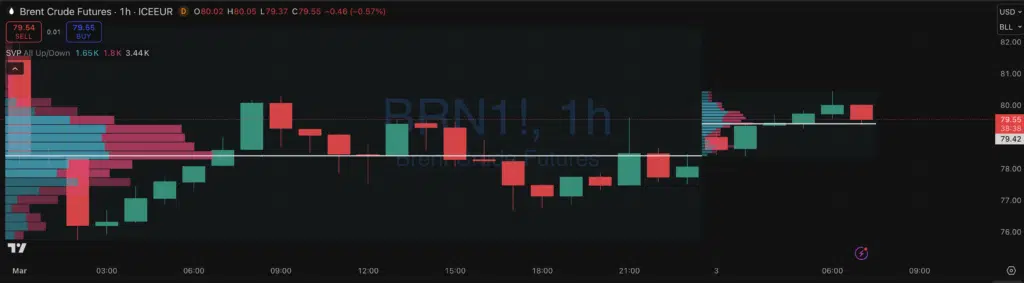
With Pine Script v6, we finally got access to request.footprint() — allowing us to programmatically access footprint data inside scripts.
This is a big deal.
And it also exposed something very important:
When new features are released, LLMs don’t instantly understand how to use them correctly.
Let me show you exactly what happened.
Step 1 – Asking AI for POC of the Current Bar
I asked a very simple question:
“Can you build me a script that computes POC for the current bar in Pine Script and plot it as a line?”
Seems straightforward.
The model responded with a Pine v5 script that:
- Created artificial price bins
- Assumed uniform volume distribution
- Approximated volume inside each bin
- Picked the “highest” bin
Technically valid code.
Completely useless logic.
Why?
Because without footprint access, Pine had no real intrabar volume distribution. The model improvised.
And that’s exactly what LLMs do when they lack real feature knowledge:
They hallucinate an approximation that compiles.
Step 2 – Asking About the New Footprint Function
Then I mentioned the newly released feature.
The model switched to Pine v6 and produced this:
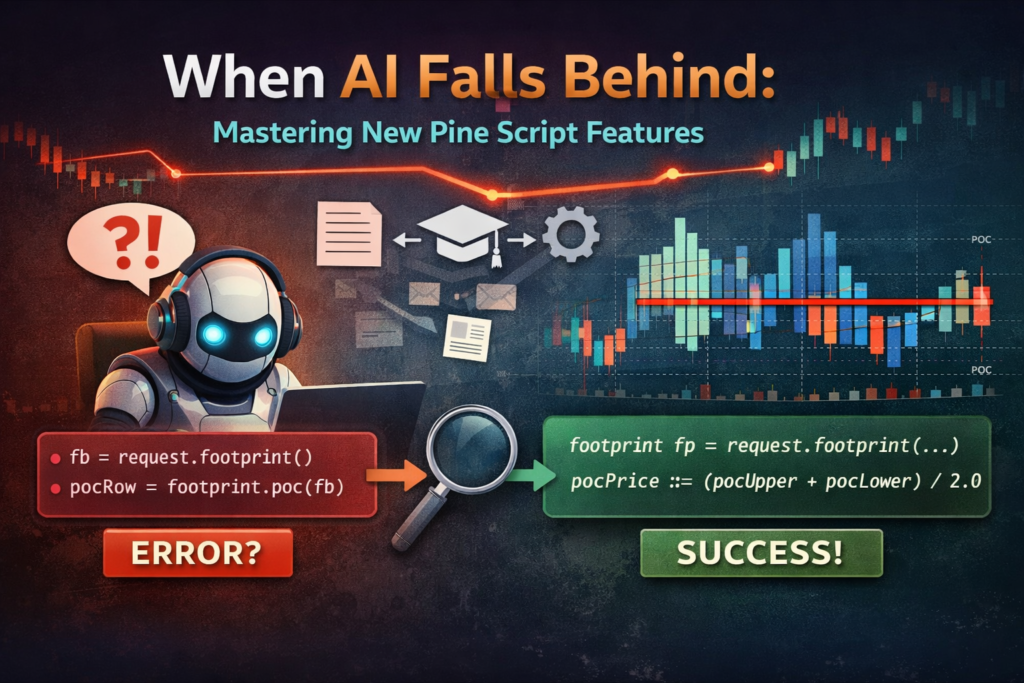
fb = request.footprint()
pocRow = footprint.poc(fb)
Closer.
It clearly understood the concept.
But still wrong:
- Incorrect function signature
- Wrong method call style
- Wrong object usage
- Wouldn’t compile
Why?
Because the feature was literally released a day earlier.
Even if the model can browse, it doesn’t understand structure instantly. It needs guidance.
Step 3 – Giving It Documentation
I provided:
- The blog post
- The official reference documentation
After that, it generated:
//@version=6
indicator("Current Bar POC (request.footprint)", overlay = true)

int ticksPerRow = input.int(100, "Ticks per footprint row", minval = 1)
int vaPercent   = input.int(70,  "Value Area %", minval = 1, maxval = 100)

footprint fp = request.footprint(ticksPerRow, vaPercent)

float pocPrice = na
if not na(fp)
    volume_row pocRow = fp.poc()
    float pocUpper = pocRow.up_price()
    float pocLower = pocRow.down_price()
    pocPrice := (pocUpper + pocLower) / 2.0

plot(pocPrice, title="POC (mid of POC row)", linewidth=2, style=plot.style_stepline)
Now we’re talking.
Clean.
Correct.
Using the actual API.
No hacks.
No approximations.
What This Actually Teaches Us
This wasn’t about footprints.
This was about how to work with AI properly.
1️⃣ AI is not instantly updated
When new features drop (especially technical ones), models:
- May not know them
- May partially know them
- May misuse them
- May hallucinate structure
2️⃣ AI needs structured guidance
When I provided:
- Exact documentation links
- Explicit error feedback
- A clear objective
The output quality improved dramatically.
3️⃣ If you understand the feature, fixing AI is easy
This is the key difference.
If you:
- Understand Pine architecture
- Understand object types
- Understand method calls
Then correcting AI takes minutes.
If you don’t?
You’ll be stuck debugging hallucinations.
The Real Edge: AI + Domain Knowledge
AI is powerful.
But only when paired with:
- Strong technical understanding
- Ability to read documentation
- Ability to recognize incorrect structure
New Pine features (like footprint objects) will keep coming.
If you rely blindly on AI, you’ll constantly run into:
- Wrong signatures
- Deprecated syntax
- Mixed Pine versions
- Fake methods
- Incorrect object usage
But if you know what you’re doing?
AI becomes a productivity multiplier instead of a frustration machine.
Why This Matters for Pine Script Developers
Pine is evolving fast:
- v6
- Objects
- Methods
- Footprints
- More structured data types
This is no longer “simple indicator scripting.”
This is software engineering inside a charting environment.
And AI works best when the human in the loop understands software architecture.
How I Teach This
In my AI + Pine Script course, I don’t just teach:
- Pine syntax
- Indicator building
I teach:
- How to prompt AI correctly
- How to feed documentation properly
- How to debug AI output
- How to recognize hallucinations
- How to adapt instantly when new features are released
Because that’s the real edge.
Not copy-pasting code.
But knowing how to guide the machine.
Final Thought
New features don’t break AI.
They expose whether you:
- Understand the tool
or - Depend on it blindly
Footprints were just one example.
There will be many more.
And the developers who combine:
- Technical understanding
- Structured thinking
- AI prompting skill
Will move exponentially faster than everyone else.