TradingView is pretty flexible in terms of appearance. You can change the color of the TradingView interface and chart itself. In this article I will show you how you can do it.
Changing TradingView Interface Style
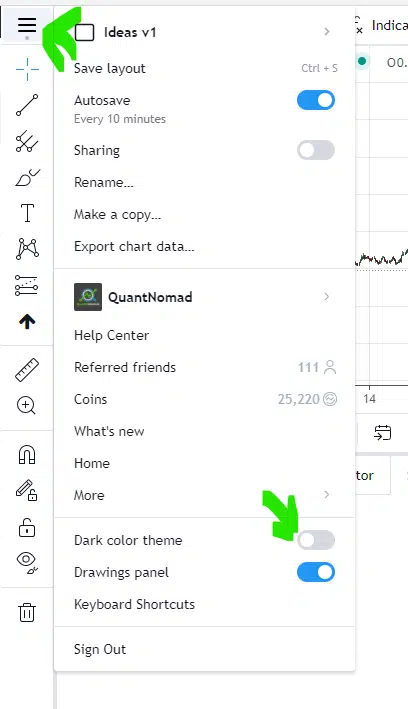
First of all, you can change the TradingView interface from standard white to dark mode. To do that go to the main menu and click on “Dark color Theme”
When you click it TradingView will ask you if you want to change the theme for the chart as well.
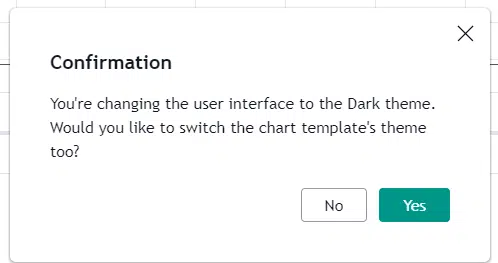
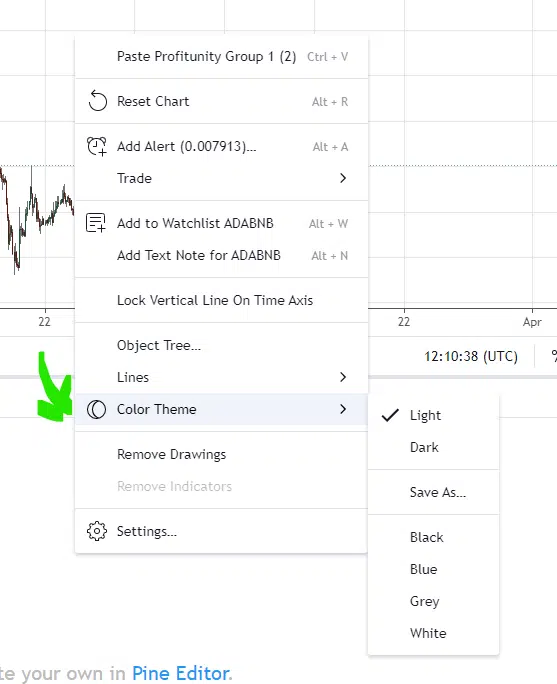
This is because in TradingView you can change chart’s theme separately. To do that you can right click on the chart select and select Color Theme you want:
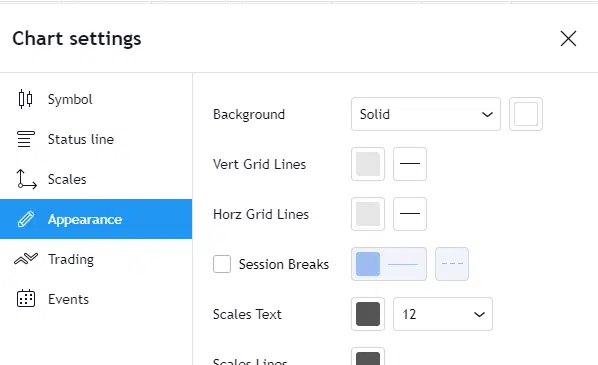
If you don’t like any of these themes you can create your own theme. To do that you can do following: right click on the chart, click on Settings. Then in Appearance tab you can change all colors for the chart appearance:
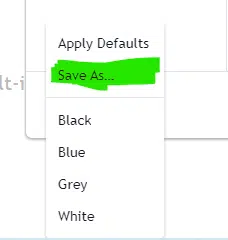
After you created your theme you can save it and reuse it later. In the bottom of this window you can find Template dropdown:

In this dropdown select “Save As …” and type name for your custom theme.
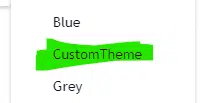
After creating it you will be able to apply it only with one click:
Follow me on TradingView and YouTube.